Beverage Shop Inventory & Sales Management System
A complete offline desktop software built specifically for beverages and general stores in Pakistan. Manage your entire shop — sales, stock, purchases, customers, expenses, and reports — from one easy-to-use application. No internet required. Works on any Windows PC.
Point of Sale (POS)
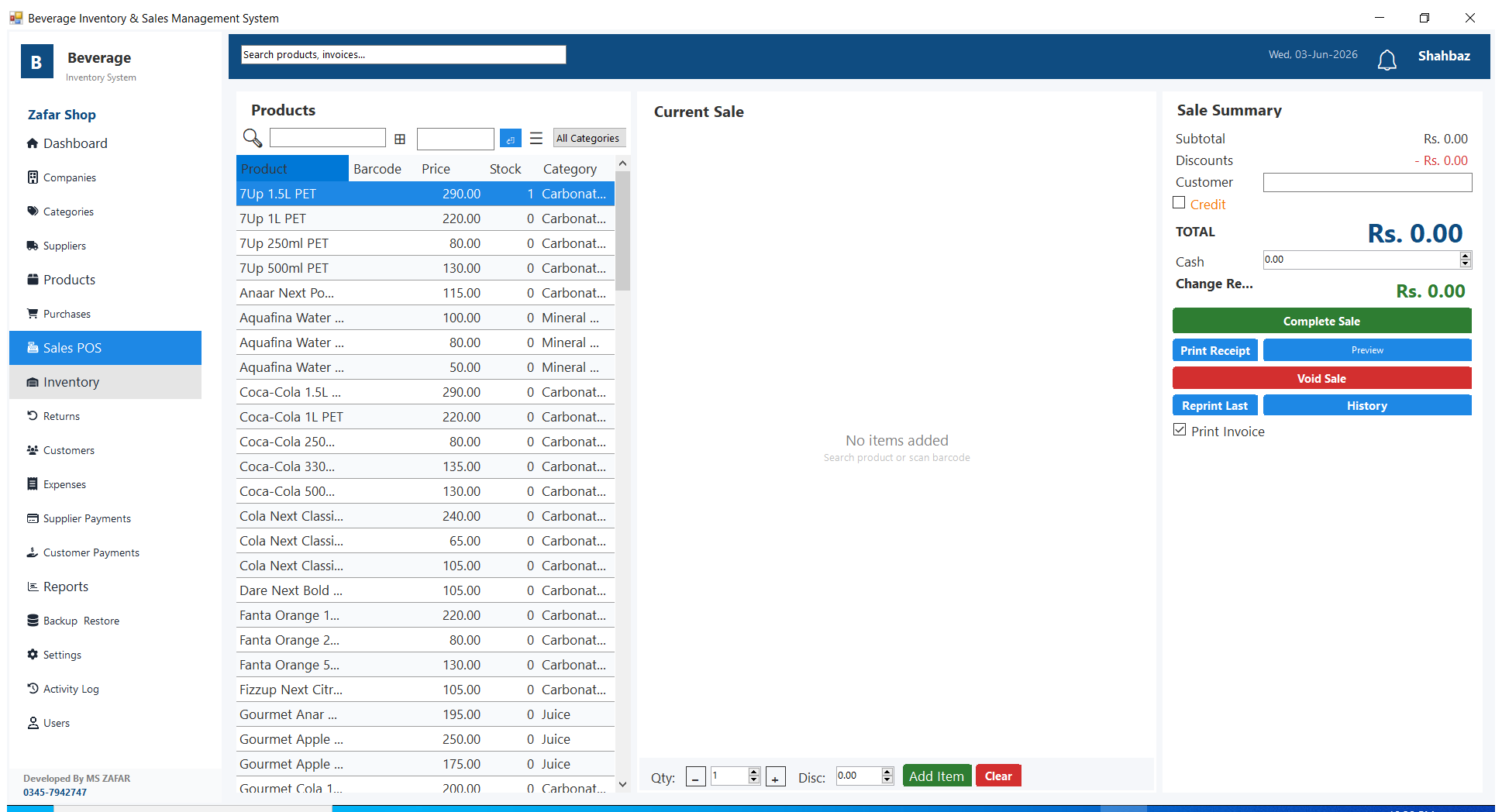
- Fast product search by name or barcode scan
- Filter products by category during sale
- Add per-item discounts on any product
- Cash sales and credit sales (for regular customers)
- Automatically calculates subtotal, discount, total, and change
- Print thermal receipt after every sale (supports 57mm and 80mm printers)
- Auto-print option — receipt prints automatically after sale is completed
- Re-print any past invoice from Sale History
- Keyboard shortcuts: F2 for product search, F8 to print receipt
Inventory & Stock Management
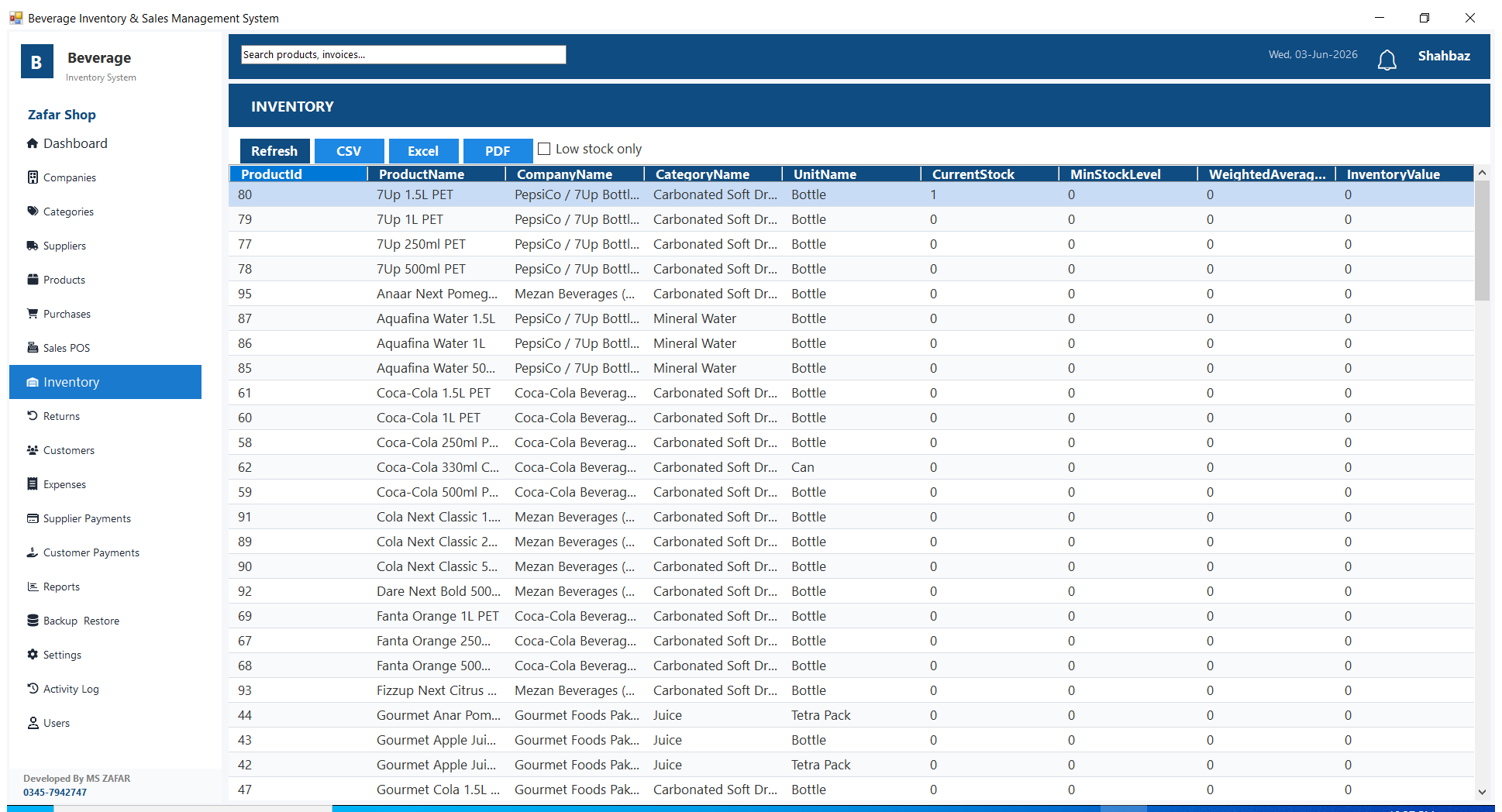
- Live stock levels updated automatically on every purchase, sale, and return
- View current stock quantity and total inventory value for every product
- Low stock alerts shown on the dashboard
- Out-of-stock count displayed at a glance
- Opening stock entry for new products
- Damage and adjustment entries to correct stock
- Export inventory list to file
Products & Catalogue
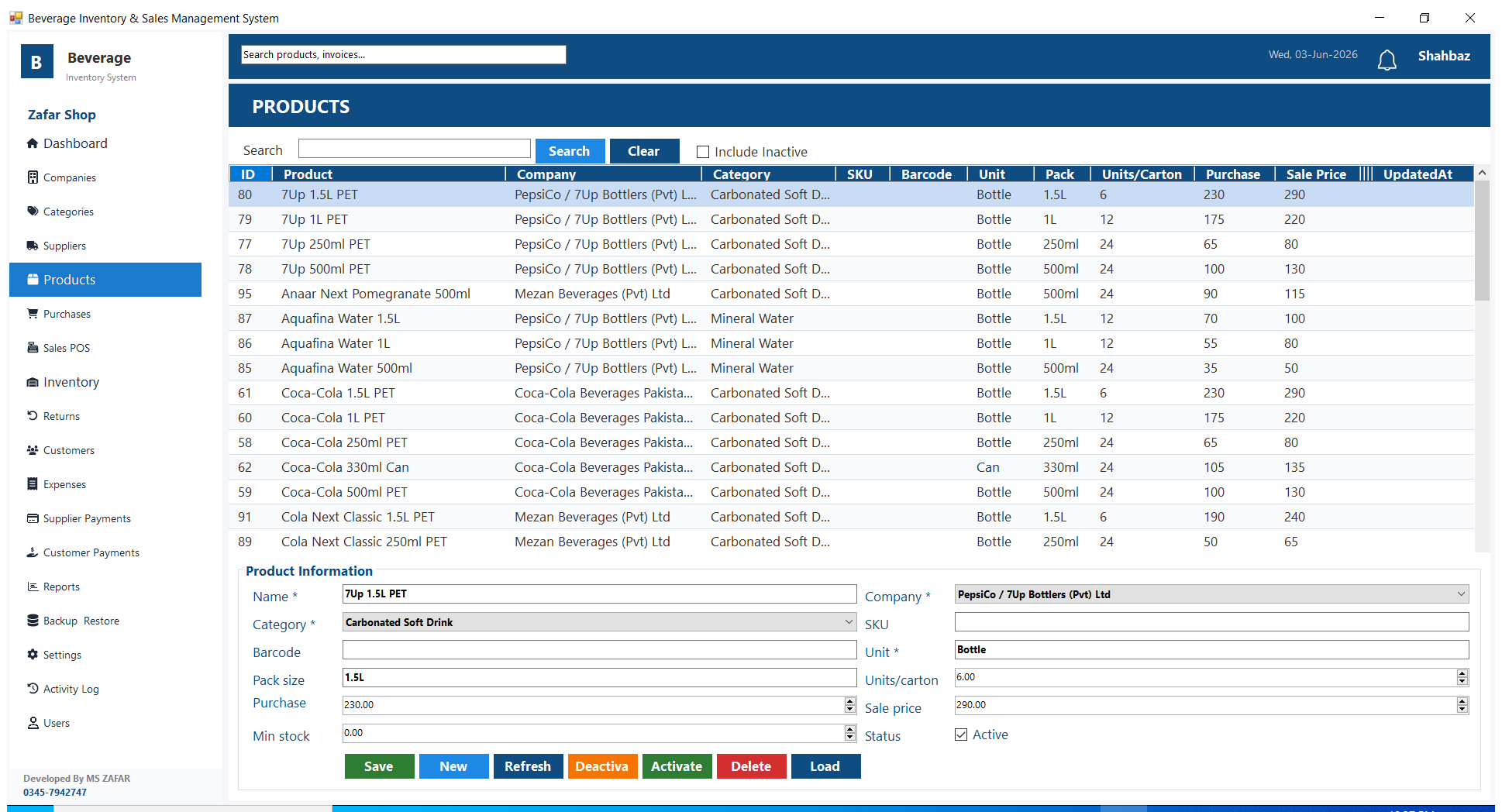
- Add unlimited products with name, barcode, purchase price, and sale price
- Assign each product to a company (brand) and category
- Manage companies and categories separately
- Built-in sample catalogue of common beverage products — load with one click
Purchases
- Record purchases from suppliers with full item detail
- Stock increases automatically when a purchase is saved
- View full purchase history with date and supplier filters
- Track outstanding amount owed to each supplier
Suppliers
- Maintain a list of all your suppliers with contact details
- Record supplier payments and see outstanding balance per supplier
Customers & Credit Sales
- Maintain a customer list with contact details
- Sell on credit and record the amount owed by each customer
- Record customer payments and track remaining balance
- Full payment history per customer
Returns
- Process product returns from customers
- Stock is automatically restored on every return
- View full returns history
Expenses
- Record daily shop expenses (rent, electricity, wages, etc.)
- Expenses are included in the profit calculation in reports
Reports
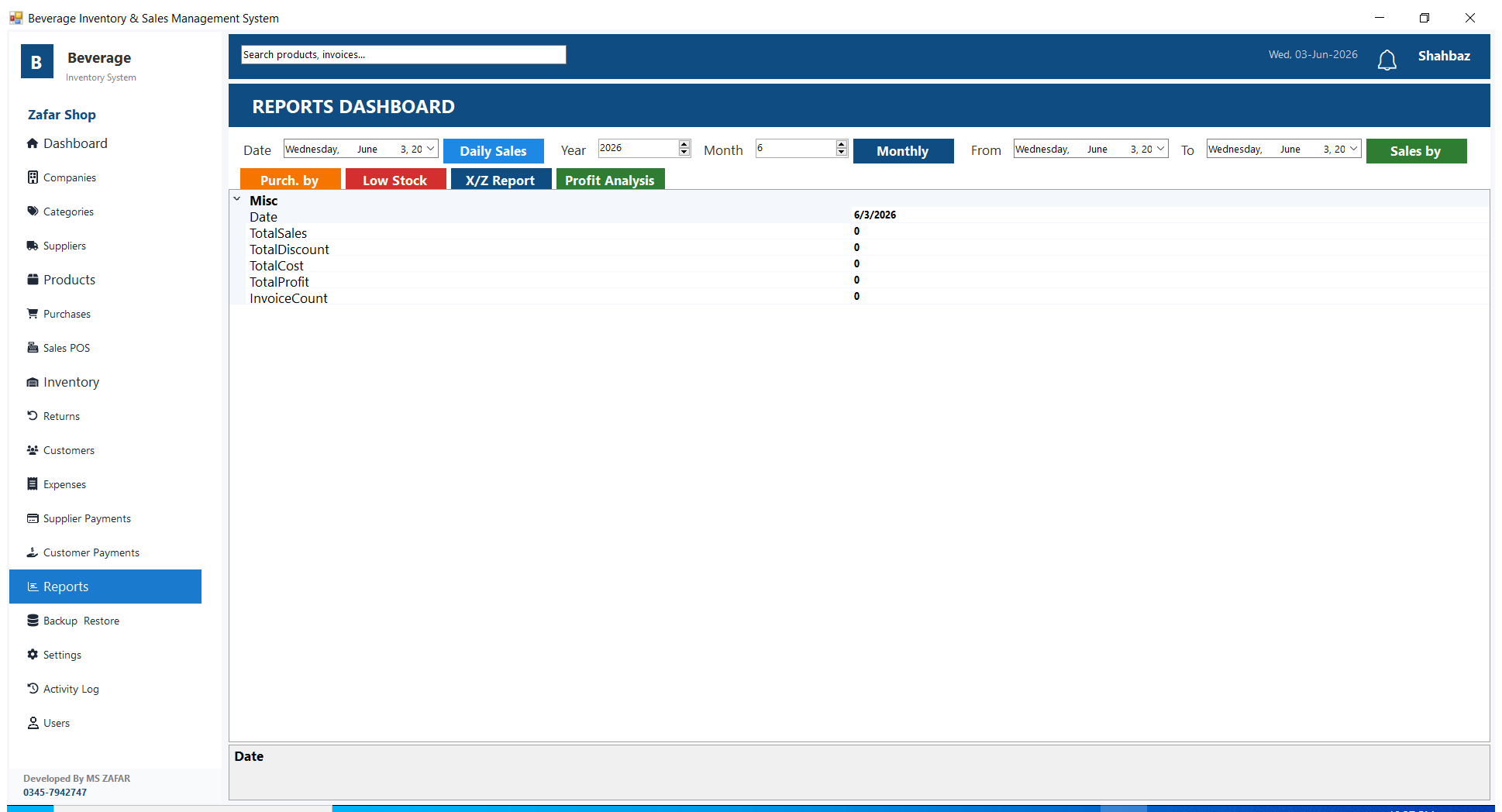
- Daily Sales Report — total sales, total profit, and number of invoices for any selected date
- Monthly Report — full month summary including total sales, profit, and discounts
- Sales by Product — which products sold the most in any date range
- Purchases by Supplier — total purchases from each supplier in a date range
- Low Stock Report — all products that are running low and need reordering
- X/Z Report — end-of-day and end-of-shift cash summary (standard POS report)
- Profit Analysis — compare sale price vs purchase price per product
Dashboard
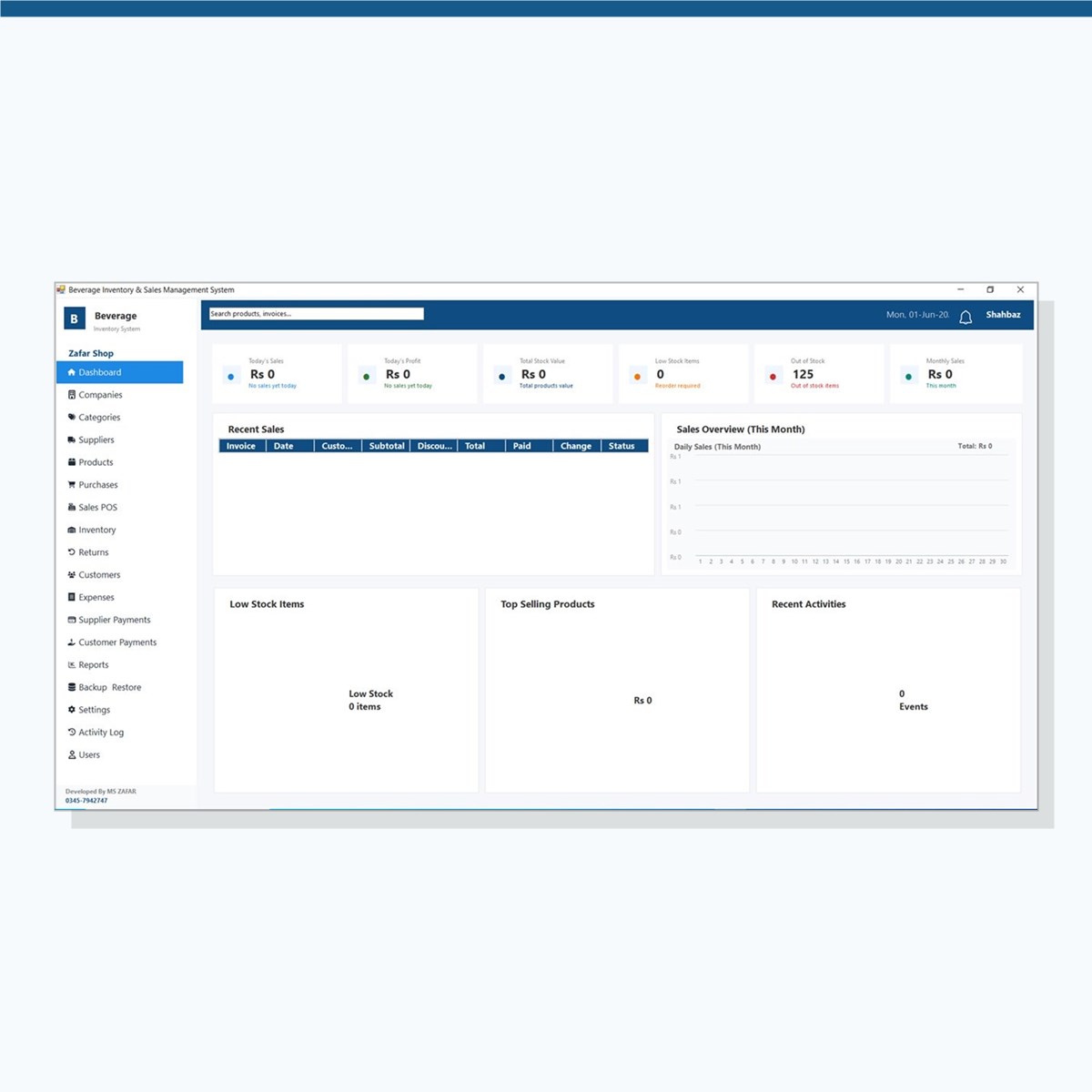
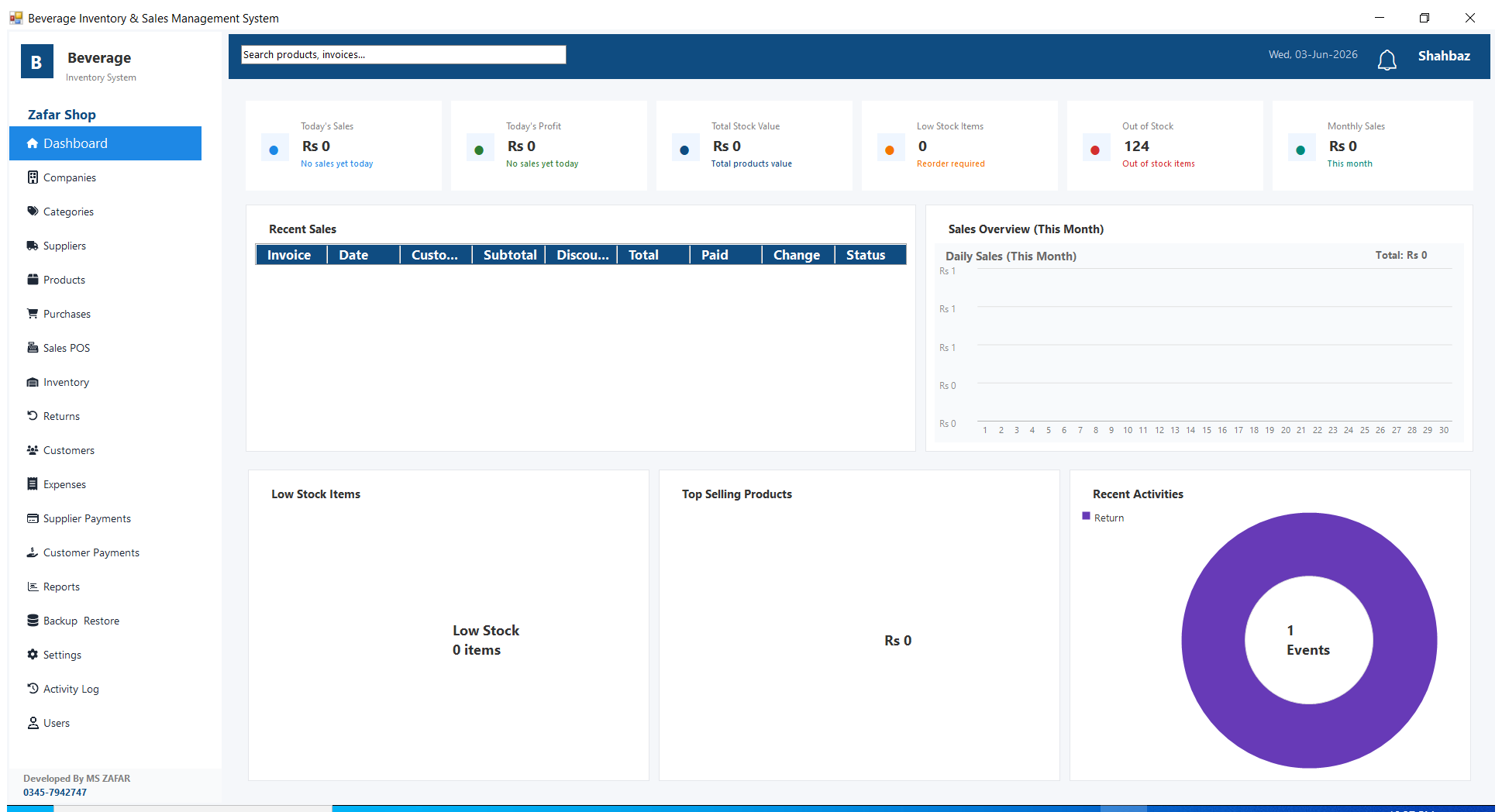
- Today’s sales and today’s profit with day-over-day comparison
- Total stock value across all products
- Low stock item count and out-of-stock count
- Monthly sales total for the current month
- Sales chart showing daily totals for the current month
- Top selling products and recent activity summary
Users & Role-Based Access
- Multi-user support — create separate login accounts for each staff member
- Admin — full access to all modules including settings and users
- Operator — full sales, purchasing, and inventory access; cannot manage users or settings
- Viewer — read-only access to dashboard, inventory, reports, and customers only
Settings & Customisation
- Set your shop name, owner name, phone number, and address (printed on every receipt)
- Configure GST / tax rate and tax label (e.g. GST 17%, Sales Tax)
- Set a custom invoice number prefix
- Add JazzCash, EasyPaisa, and bank account details — printed on receipts automatically
- Select receipt printer and paper width (57mm or 80mm thermal)
- Choose currency label (PKR, USD, etc.)
Backup & Data Safety
- One-click manual backup — save to any folder on your PC or USB drive
- Automatic backup each time the application is closed (optional)
- Restore from any previous backup file
- Built-in activity log — records every action with user name and timestamp
System Requirements
- Windows 7 / 8 / 10 / 11 (32-bit or 64-bit)
- Minimum 2 GB RAM, 200 MB free disk space
- Internet required only for first-time license activation — works fully offline afterwards
- .NET Framework 4.8 (included in the installer)
Licensing
- One-time purchase — no monthly or annual subscription fees
- Single-machine lifetime license
- License tied to your PC — contact support for machine transfers
Reviews
There are no reviews yet.